Tutorial
How to Cut CLI Agent Token Usage by 20-30% (Claude Code, Codex, OpenCode)
A step-by-step guide to cutting CLI agent token consumption: prompt-cache discipline, output filtering with RTK, compression proxies like Tamp, structured compressors, and how to measure real savings.

How to Cut CLI Agent Token Usage by 20-30% (Claude Code, Codex, OpenCode)
To reduce Claude Code token usage or save tokens with Codex CLI, start with what the agent reads repeatedly: instructions, tool definitions, file contents, and command output. A short request can still trigger a large conversation. Removing progress noise and narrowing searches can help without changing the model or weakening your acceptance criteria.
This tutorial treats a 20-30% reduction as a target to measure, not a guaranteed benchmark. You will establish a baseline, preserve prompt caching, improve context hygiene, and test token compression tools individually. The same approach applies to OpenCode. Keep the code review, tests, and behavioral requirements constant so lower consumption represents more efficient work.
Community measurements below describe different workloads and denominators. They cannot be added together or assumed to predict your invoice. This Omega Plus Journal tutorial focuses on reproducible setup and practical trade-offs; the Omega Plus integration documentation covers connecting your chosen client.
Step 1: measure the cost of a completed task
Record tokens, cache usage, and quality
Choose a representative task, such as fixing a validation bug with a regression test. Record the repository commit, agent version, model, settings, prompt, and verification command. Capture fresh input, cached input, cache writes where reported, output, elapsed time, and the final result. Compare equivalent completed tasks rather than an unusually easy session against a difficult refactor.
git rev-parse HEAD
claude --version
codex --version
opencode --version
Run only the version commands for clients you have installed. In Claude Code, inspect /cost and /context; its official cost guide explains token reporting and context management. For other clients, preserve session logs and reconcile them with provider usage. Subscription allowances and API charges are different accounting systems.
Define success before enabling compression
Your acceptance criteria should include passing the relevant tests, preserving public behavior, and producing a reviewable diff. Track extra retries and manual corrections. A smaller prompt followed by repeated failed attempts is not an improvement. This discipline also works when evaluating Omega Code for repository tasks.
Include a task that requires following a relationship across files, not just changing a single string. For example, require the agent to trace validation from a request handler into a shared service and preserve an existing error response. This exposes missing context that an easy edit would overlook. Keep the expected behavior written down before reviewing the generated patch.
Step 2: preserve the reusable prompt prefix
Keep instructions and tools stable
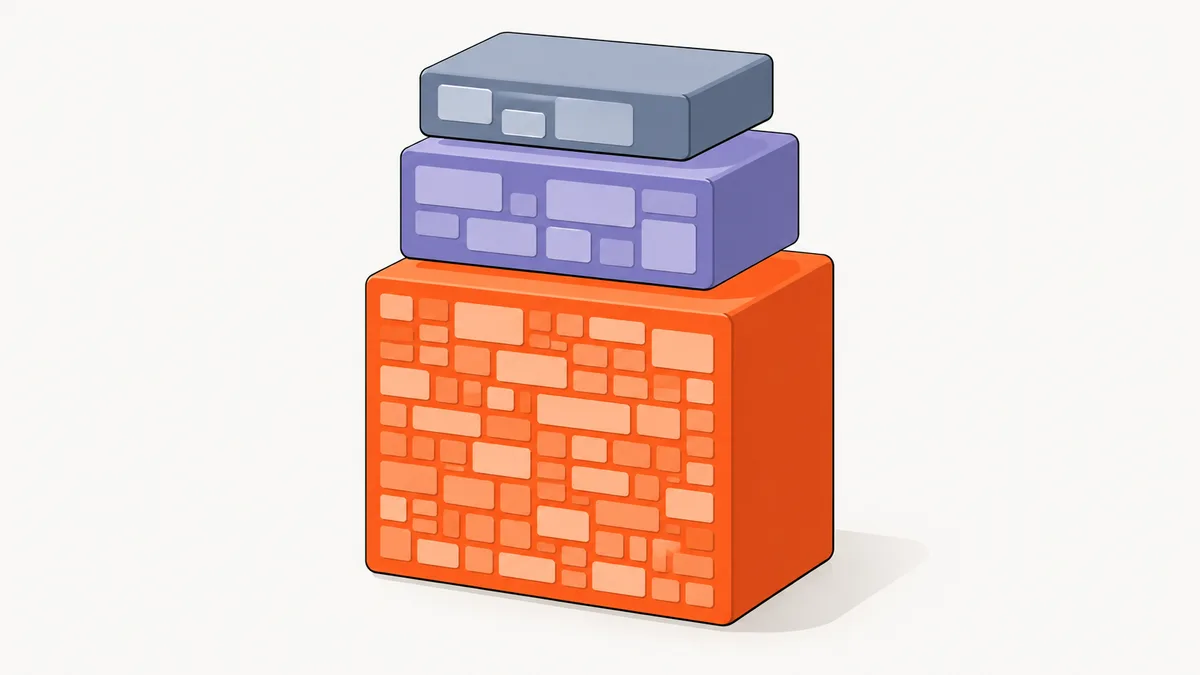
Prompt caching reuses computation for matching prefixes. It reduces the price of eligible repeated input; it does not remove that content from the context window. OpenAI's caching documentation requires matching rendered prefixes and compatible settings. Changing models, tool schemas, descriptions, or ordering can prevent reuse.
Anthropic documents a standard cache-read multiplier of 0.1, meaning approximately 90% cheaper eligible input reads, with model-specific exceptions. Cache writes have separate pricing. Neither this discount nor a cache hit means your whole coding session becomes 90% cheaper.
- Choose the model before starting the task and retain it while measuring.
- Finalize
CLAUDE.md,AGENTS.md, and MCP configuration before the session. - Put changing task details after stable instructions wherever you control prompt assembly.
- Keep timestamps and rotating identifiers out of the reusable prefix.
Recognize cache killers precisely
Editing CLAUDE.md matters when the changed instructions enter a subsequent request. A timestamp in an appended message does not destroy every earlier cache boundary. Changing a tool path matters when that path changes rendered prompt content. These are consequences of prefix matching, not universal penalties attached to particular filenames.
Before compaction or a model switch, finish a coherent milestone and record a handoff. Then inspect whether fresh input rises on the next turn. Keep necessary configuration changes, but account for their cost. Check Omega Plus client configuration guidance before changing endpoints during an active comparison.
Step 3: improve context hygiene and verify claudeignore
Search narrowly before reading
Ask for the relevant module, callers, and tests before requesting implementation. Avoid prompts such as “read everything and improve the application.” In a monorepo, name the package and behavior. Exclude build artifacts from exploratory searches, and read source ranges around actual matches rather than dumping entire directories.
rg --files src tests
rg -n --glob '!package-lock.json' --glob '!dist/**' 'validateBooking' src tests
sed -n '40,140p' src/booking.ts
Replace the example symbol and path with your task's identifiers. Keep a compact repository map describing entry points and verification commands. Move lengthy background documents out of always-loaded instructions and retrieve them when needed. Our practical guide to retrieval-augmented generation for small businesses explains the related principle: retrieve evidence relevant to the decision.
Do not assume an ignore file enforces itself
“claudeignore” appears in several community workflows, but verify the mechanism in your installed version. A file named .claudeignore is not proof of enforcement. One explicit option is the claude-ignore community hook:
npm install -g claudeignore
claude-ignore init
Inspect the generated hook configuration and patterns, restart Claude Code, and test a harmless excluded fixture. Expected savings depend on unnecessary reads prevented; no universal percentage applies. Overbroad exclusions can hide migration files or dependency evidence. Official Claude Code settings also document read-denial rules. File-read controls and shell access need separate consideration.
Step 4: filter shell output with Rust Token Killer
Install RTK for your client
RTK, Rust Token Killer, filters command output before the agent receives it. Its README advertises reductions up to 90% of eligible Bash output and explicitly distinguishes those estimates from bill savings. It estimates token counts from bytes rather than using a model tokenizer.
# With Homebrew
brew install rtk
rtk --version

# Choose your integration
rtk init -g
rtk init -g --codex
rtk init -g --opencode

# Compare output and inspect estimates
git status
rtk git status
rtk gain
Run the initialization command matching your client, then restart it. Without Homebrew, the documented source installation is cargo install --git https://github.com/rtk-ai/rtk. Confirm the correct package by running rtk gain.
Validate retained diagnostic evidence
Start with status listings and repetitive test output. Compare raw and filtered failures before trusting the integration. Preserve exit codes, failing test names, and actionable stack frames. Read the original diff during review when condensed context could obscure neighboring behavior.
Codex issue #19001 requests native RTK-style filtering. The accessible issue text did not substantiate the circulated 30-day average, so this tutorial does not treat it as a verified benchmark. Measure your own eligible command output and completed-task usage separately.
Claude Code's built-in Read, Grep, and Glob calls bypass the Bash rewrite hook. Watch actual command traces: an installed hook produces savings only when the relevant output passes through it.
Step 5: test the Tamp compression proxy
Start with conservative processing
Tamp's README reports 52.6% average input compression, a project-maintained community measurement. It lists Claude Code, Codex CLI, OpenCode, Aider, Cursor, Cline, and OpenClaw integrations. That claim is not a guarantee for every authentication route or client feature.
# Terminal A: keep the proxy running
TAMP_STAGES=cmd-strip,minify,whitespace npx @sliday/tamp -y

# Terminal B: Claude Code with your existing supported credentials
ANTHROPIC_BASE_URL=http://localhost:7778 claude
This deliberately limited pipeline removes command noise and formatting. It is not the full configuration behind the headline measurement. Confirm traffic reaches the proxy, run a small task, and compare usage. Inspect whitespace-sensitive output before broader adoption.
Configure Codex and OpenCode explicitly
For API-key Codex, merge this into ~/.codex/config.toml, preserving other settings. Supply your existing OpenAI API key through the environment; subscription authentication is a separate path.
model_provider = "tamp"

[model_providers.tamp]
name = "Tamp Proxy"
base_url = "http://localhost:7778/v1"
env_key = "OPENAI_API_KEY"
wire_api = "responses"
The fields are documented in the official Codex configuration reference. For OpenCode, merge the matching provider options into ~/.config/opencode/opencode.json, then restart:
{
  "provider": {
    "anthropic": { "options": { "baseURL": "http://localhost:7778" } },
    "openai": { "options": { "baseURL": "http://localhost:7778/v1" } }
  }
}
Preserve routing and cache behavior
Tamp has configurable upstreams; the default routes target provider APIs. An Omega Plus setup must preserve your intended gateway upstream and credentials. Follow Omega Plus endpoint documentation and Tamp's upstream settings before redirecting a working client.
Tamp warns that its opt-in stale-input and stale-image stages rewrite older history and invalidate caching. Leave them disabled initially. More aggressive semantic stages can alter identifiers or omit useful details; optional remote compression adds another data destination. Restore the previous client URL to bypass the proxy.
Step 6: compress structured content with claude-token-saver
Install and inspect the routing changes
sanjaybh/claude-token-saver provides JSON, code, log, and text compressors, plus local retrieval of originals. Its README's community examples report approximately 92% savings for code search and incident logs, 73% for issue triage, and 41% for duplicated retrieval content. These are workload examples, not whole-session promises.
npm install -g claude-token-saver
token-saver setup
token-saver wrap claude

# After your comparison task
token-saver stats --json
The setup wizard configures the agent; review its changes before continuing. The wrapper starts the proxy and sets routing. If operating the proxy separately, use token-saver proxy in another terminal. Test this as an alternative to Tamp first, so the comparison identifies one compressor's contribution.
Verify recovery before using lossy summaries
Compressed blocks can reference locally retained originals through headroom_retrieve. Ask the agent to retrieve an omitted detail during your trial and compare it with the source. Recovery requires the store and tool to remain available; “reversible” describes recoverability, not automatic preservation of reasoning quality.
Use a representative API response or log containing a rare failure among repetitive entries. Check whether the agent recognizes that failure without prompting. If it does not, reduce compression or bypass it for that content type. Repeated retrieval also consumes tokens and can erase the initial saving.
Originals are retained locally, so include that store in your workstation data-handling policy. Keep exact source available for edits, and confirm authentication compatibility for your gateway before adopting a wrapper across projects.
Step 7: keep large results outside the conversation with Context Mode
Install the MCP integration
Context Mode runs processing outside the main conversation and returns selected output. Its README advertises approximately 98% reduction in routed tool output with hooks. This is a project-maintained community claim about routed content, not an independent benchmark or total-token reduction.
# Minimal MCP registration; no automatic routing hooks
claude mcp add context-mode -- npx -y context-mode
Restart Claude Code and confirm the server appears. For the full Claude Code plugin, enter these commands inside the agent instead:
/plugin marketplace add mksglu/context-mode
/plugin install context-mode@context-mode
Return answers supported by retrievable evidence
Use the integration to process a large log, index relevant content, and search for failure signatures. Request the failing operation, source location, and surrounding evidence. The important change is where bulk data lives: the main conversation receives useful findings instead of every raw line.
MCP registration alone does not enforce routing. The plugin includes hooks and instructions; other platforms require their documented setup. Inspect actual calls before assuming that OpenCode or Codex is receiving the same protection. Ask the agent to invoke ctx doctor and ctx stats to inspect integration health and reported savings.
Test a query whose answer occurs outside the first search result. Selective retrieval can miss distant relationships, and additional searches can increase latency. Keep ordinary source access available. Its execution subprocesses are not a complete operating-system security boundary; preserve host permissions and review execution requests.
Step 8: evaluate Everest compress for Codex
Install the current integration
spenmcke/compress now documents an Everest integration for Codex. In the creators' Hacker News launch discussion, they report a 29.6% token reduction using a fine-tuned Qwen compression model. This is a creator-reported community measurement; the thread does not establish a universal quality guarantee.
curl -fsSL https://install.everestagi.com/install.sh -o /tmp/everest-install.sh
less /tmp/everest-install.sh
sh /tmp/everest-install.sh
source ~/.config/everest/shell.sh
everest doctor
codex
everest savings
These commands separate downloading and inspecting the documented installer. The README requires Codex on macOS or Linux with Bash or Zsh. Complete the browser login, then use a fresh terminal if the shell integration has not loaded.
Account for remote processing and fallback
The README says eligible tool output, tool arguments, a focus description, and part of the latest user message are sent to Everest. Local execution does not mean local compression. The hosted service and model weights are outside the published CLI repository.
Run codex --uncompressed for a comparison using the current README's spelling. The older launch discussion uses a different flag, so follow current installation documentation. The integration retains original terminal output and falls back to originals when compression is unavailable or considered unsafe.
Verify that a task with subtle error details still reaches the correct diagnosis. Include compressor latency, fallback frequency, and repeated reads in the comparison. Prefer local filtering when external processing is unsuitable for the repository.
Step 9: verify results with Prismo
Separate estimates from verified improvement
PrismoDev analyzes local Claude Code, Codex, and Cursor sessions, identifies waste, and checks later sessions for improvement. Its distinction between estimated prevention, verified savings, and interventions still being measured is useful when evaluating other tools.
# Observe the current report
npx getprismo digest

# Enable repository protection; inspect resulting changes
npx getprismo protect

# Review evidence after ordinary work
npx getprismo digest --days 7
Prismo does not supply a transferable savings percentage. A report without verified improvement is evidence that measurement is incomplete, not permission to label estimated opportunity as money saved. Protection can modify the workflow, so capture a baseline before enabling it.
Make comparisons fair
Compare tasks with similar scope, models, and verification requirements. Repeated trials should start from the same repository state in separate working copies. Retain the same prompt and change one intervention. Track median completed-task consumption and inspect unusually large outliers rather than selecting only successful examples.
Cross-check session analysis against the provider's authoritative usage records. A wrapper's byte estimate, an agent's context display, and billable usage can measure different things. Keep this reconciliation when switching between terminal agents and the Omega Plus desktop workspace.
Start in local mode. Prismo's optional cloud connector syncs aggregate metadata; evaluate that separately from local reporting. Enforcement hooks may block reads or loops, so review interventions that prevent legitimate debugging work.
How Omega Plus cache-read billing changes the calculation
Optimize the categories that are charged
Omega Plus distinguishes fresh input, cache reads, and generated output in its tiered credit accounting. Eligible cache reads have a lower rate than fresh input; cache creation follows the tier's input rate. Consult the current Omega Plus model and billing guidance for your selected model and reconcile usage with your account records.
The upstream 90% cache-read example is not a universal Omega Plus discount. Use the gateway's actual rates. A useful accounting expression is: fresh input multiplied by its rate, plus cache reads multiplied by their rate, plus cache writes multiplied by their rate, plus output multiplied by its rate.
A shorter context can still cost more
A compressor that changes historical content may convert inexpensive cached reads into fresh input. It can therefore reduce total input volume while increasing the charge. Filtering a new tool result once and preserving it in later history is easier to evaluate than repeatedly rewriting the past.
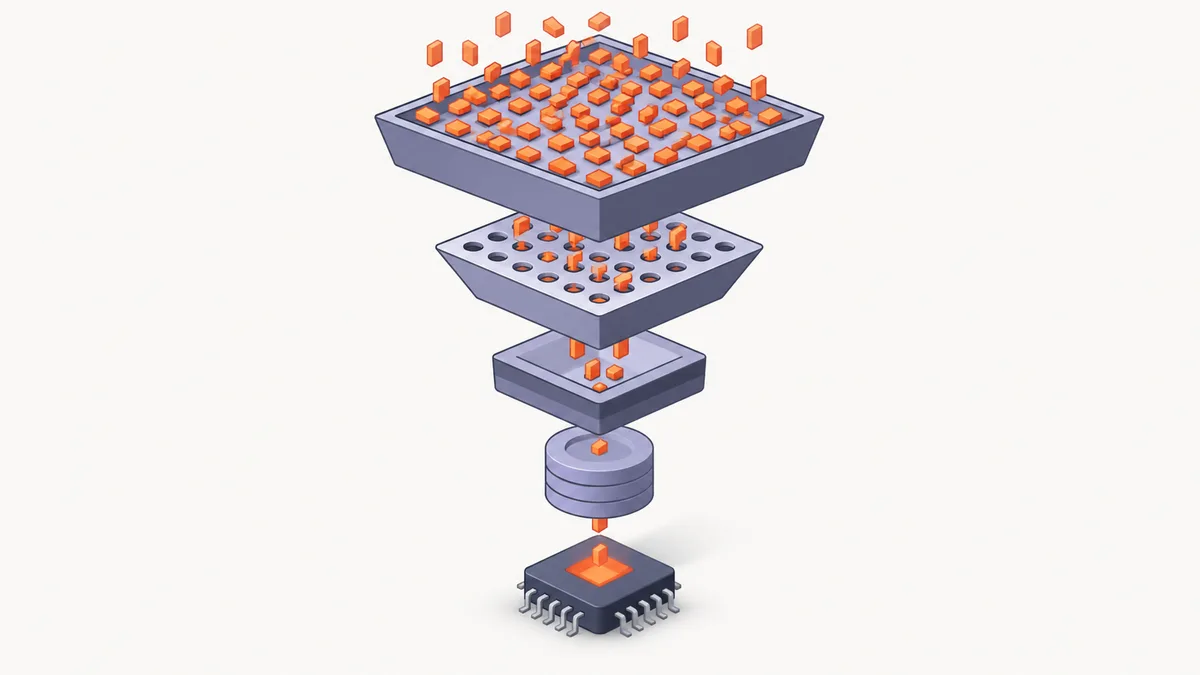
Caching and compression solve related problems: stable context preserves reuse, while selective output reduces what enters context. Both should preserve the evidence needed for correct code. Choose the configuration with the best completed-task cost and quality, not the largest compression ratio.
Compare the tools before combining them
Use the measurement's actual denominator
The savings below come from the linked project documentation or launch report, not Omega Plus benchmarks. Risk levels are editorial judgments about setup, information loss, and data routing.
| Tool | What it compresses | How it integrates | Measured savings | Risk level |
|---|---|---|---|---|
| RTK | Shell output | Hooks, plugins, explicit commands | Up to 90% eligible output; estimates | Low to medium |
| Tamp | Tool-result payloads | Local API proxy | 52.6% average input; community report | Medium; stage dependent |
| claude-token-saver | JSON, code, logs, text | Proxy, wrapper, retrieval tools | 41-92% across README examples | Medium |
| Context Mode | Bulk results through selective retrieval | MCP and routing hooks | Approximately 98% routed output claimed | Medium |
| Everest compress | Codex tool results | Shell integration and hosted model | 29.6% tokens; creator report | Medium to high |
| Prismo | Measures and prevents context waste | Session analysis and optional enforcement | No universal percentage | Low for reporting; higher with enforcement |
Begin with context hygiene and stable caching, then add RTK. Evaluate one proxy or retrieval layer next. Several tools can target the same payload; double filtering may remove details without producing proportional savings.
Estimate opportunity without inventing a benchmark
A useful planning calculation is the share of input represented by eligible output multiplied by the reduction within that output. This estimates direct input opportunity, not total cost. Repeated conversation history, cache pricing, generated output, and extra retrieval calls complicate the real result. Use the calculation to decide what to trial, then replace it with observed usage.
Also keep a failure control: run a deliberately failing test and a search that returns no matches. Verify the agent distinguishes failure from an empty successful result and identifies the relevant evidence. If the filtered representation changes that interpretation, exclude the command from compression. Saving context is useful only when the retained information supports the next correct action.
Apply this today: a practical checklist
Make one reviewable change at a time
- Capture a baseline. Save the model, agent version, prompt, repository commit, token categories, and acceptance results.
- Stabilize the prefix. Finish instruction and tool configuration changes before beginning the comparison session.
- Narrow exploration. Specify the module, relevant behavior, and test command. Verify any ignore mechanism with a harmless fixture.
- Install RTK. Enable your client integration, restart, and compare raw and filtered diagnostic output.
- Trial one additional layer. Choose Tamp, claude-token-saver, Context Mode, or Everest according to the dominant waste source.
- Exercise recovery. Retrieve an omitted detail or bypass compression, and confirm the original evidence remains available.
- Measure ordinary work. Review Prismo alongside provider records, including retries, latency, and manual corrections.
- Retain useful changes. Accept the optimization only when cost improves and the same quality checks pass. Document rollback and configuration.
This is a practical way to reduce AI coding agent cost without weakening review. For broader spending context, read our analysis of the AI investment gap between capital spending, revenue, and adaptation.
Frequently asked questions
Can I cut token usage without changing code quality?
Often you can remove irrelevant context and repetitive output while preserving necessary evidence. Treat unchanged quality as something to verify through tests and review. No compressor guarantees identical results across every task.
Does prompt caching make the context window smaller?
No. Cached input remains part of the model's context. Caching reuses processing and changes eligible input pricing; context hygiene and output filtering reduce the content the agent must carry.
Should I install every token compression tool?
Start with one intervention and measure it. Overlapping compressors complicate routing, retrieval, and troubleshooting. Add another only after identifying remaining waste and verifying that the combination preserves useful evidence.
Is claudeignore enough to prevent unnecessary reads?
Only when your installed client or hook implements and enforces it. Inspect configuration and test an excluded fixture. An ignore file by itself is not a reliable access control or a substitute for shell permissions.
Are published savings percentages comparable?
Usually not directly. Some describe shell output, others particular retrieval examples or total input. Community measurements help select experiments; your completed-task usage and provider records determine whether the experiment worked.
What is the best first change for token usage in 2026?
Measure a representative task, narrow its context, and stabilize instructions. Then filter noisy command output. This sequence is easy to inspect and gives you evidence before introducing more complex proxy or retrieval behavior.
Editorial disclosure: Omega Plus Media Team reviewed the linked sources; community savings claims are attributed and are not independently reproduced benchmarks.
Sources and further reading
- RTK: installation, integrations, and output-estimation limits
- Codex issue #19001: proposal for native shell-output filtering
- Tamp: compression stages, client configuration, and reported savings
- claude-token-saver: structured compressors and local retrieval
- Context Mode: MCP tools, routing, and platform support
- Everest compress: current setup, privacy, and bypass commands
- PrismoDev: session measurement and verification
- Official OpenAI documentation on prompt caching